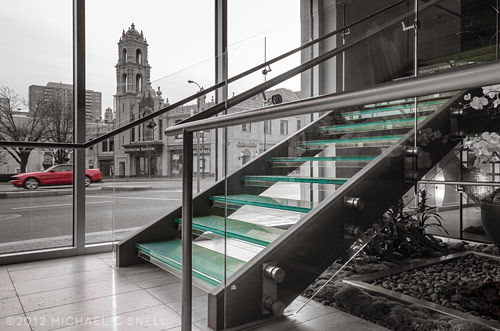
I had an architectural interior shoot this week that provided me the perfect opportunity to put the Lightroom 4 beta through its paces in a real-world situation. Much as I would love to move my entire collection over to LR4 right now, it is still only in beta. The prudent thing is to wait until the official release and, in the meantime, just test some duplicated files that don’t risk anything if there is a problem. But this was an isolated shoot that I could easily break out of my catalog and wouldn’t cause any real harm — even if I ended up having to reprocess it entirely at some point down the road.
As I’ve mentioned before, there is some relearning to be done between LR3 and LR4. There were a few times that I found myself moving the black slider to the right, expecting my blacks to get darker and momentarily being surprised to see them get lighter. When I think about it rationally, though, it does make more sense having all the main develop sliders zeroed out at their centers so that they all react the same way when moved right or left. After an hour or so, it was all feeling very natural and I imagine I’ll be messing up in reverse when I go back to Lightroom 3 now.
A few things really stood out to me in this experiment. First, Lightroom 4 beta just seems to handle major adjustments much better than previous versions. I was able to pull highlights back much further than it seemed I could before, and the result looked more natural. The situation I was shooting in was extremely contrasty. It was a fairly dimly lit interior and outside there was a thin layer of clouds that gave the sky that intense white that is always difficult to hold. Because of this, I was shooting 3 to 5 images bracketed, thinking that I’d most likely have to use some HDR techniques to keep detail in both the sky and the darker areas of the interior. As it turned out, I was able to manipulate the middle image of the bracket alone — in every case — using only Lightroom’s exposure, highlights and shadows sliders. I never had to resort to using the under- and over-exposed versions to make an HDR image.
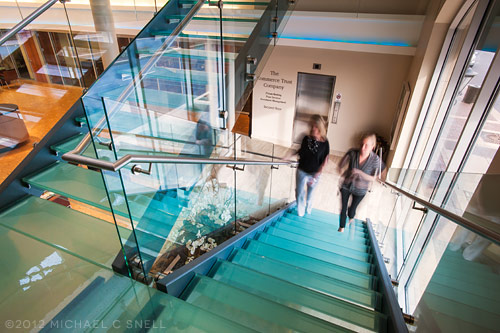
Another feature of the Lightroom 4 beta that I found extremely useful was the ability to adjust the white balance of graduated and spot adjustments. Take the photo above — the left side was a darkish, tungsten-lit interior that was very warm. The light coming in through the windows at the right was very cold due to the cloud cover. The result was an image that shifted drastically from warm tones on the left to much cooler tones on the right. By adding a graduated adjustment on the right that had a warmer white balance, I was easily able to even the scene out.
I’m already totally invested in this new version of Lightroom and am eagerly looking forward to its full release. The new processing engine alone is worth the cost of an upgrade to me and the new features will be a fantastic bonus.