Category Archives: computers

Shooting tethered

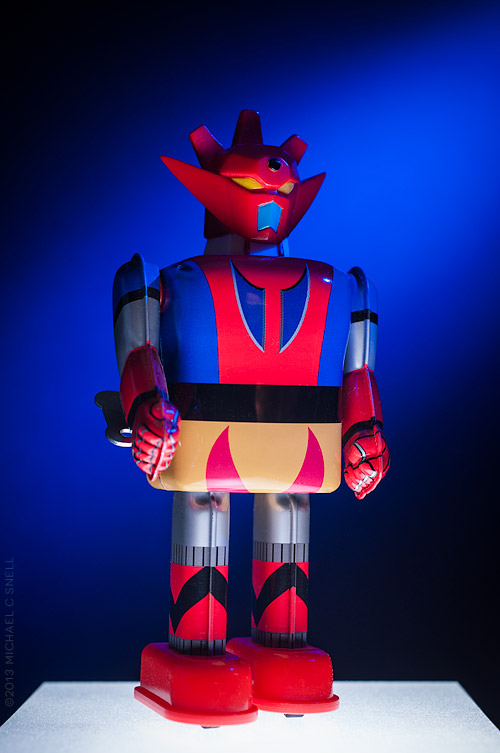
130323robot_sotc

It’s snowing outside so I’m playing indoors today.

I’ve been setting up my new 13″ Retina MacBook Pro and ran across an article about shooting tethered in Lightroom 4. I thought I’d give it a try, even though I only do a small amount of studio photography compared to field work. For some reason I always thought that tethering would be a lot more involved than it turned out to be. In fact, all I needed was a USB cable to connect my Nikon D700 to my MacBook. Turn on the camera and open Lightroom and, under the “file” menu, you can initiate tethering. Lightroom found the camera automatically and in no time I had a little toolbar added to my Lightroom interface that showed my camera settings: shutter speed, aperture, white balance, etc. Here’s a glimpse of the setup:
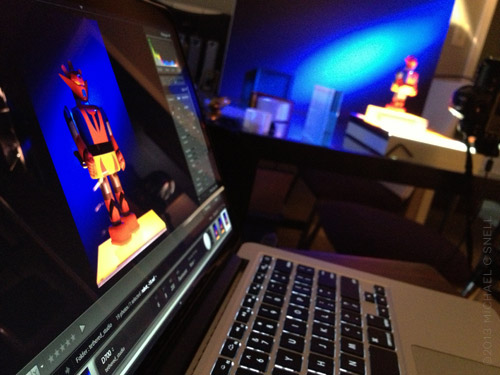
130323robot2_sotc


The Lightroom toolbar has a shutter button so you can fire the camera from the laptop. Hit the button and the camera makes an exposure that is immediately transferred to the laptop and opened for review right there in Lightroom.

I know. Lots of photographers have been doing this for years and it’s nothing new, but it was a revelation how easy it was to set for a first-time user like me. I’m reminded of the first time I realized that my Nikon had a built-in intervalometer for shooting time-lapses. More and more often, features that used to be costly added expenses are now built into modern gear, although sometimes they’re not heavily promoted. It pays to noodle around a bit every now and then to see what wonders are hiding in those electronics.

You know, I was thinking that this tethering feature wouldn’t be all that useful in the field but, now that I think about it, it could be extremely handy when doing things like night photography. I know when I was shooting the Milky Way in western Kansas last summer, it would have been nice to have had a way to be able to check exposure and focus during the shoot better than I was able to do on the camera LCD. The USB cable travels with me anyway, so this capability comes at no extra expense, weight, or bulk. Just the kind of thing I like.
I like my water clear, thank you

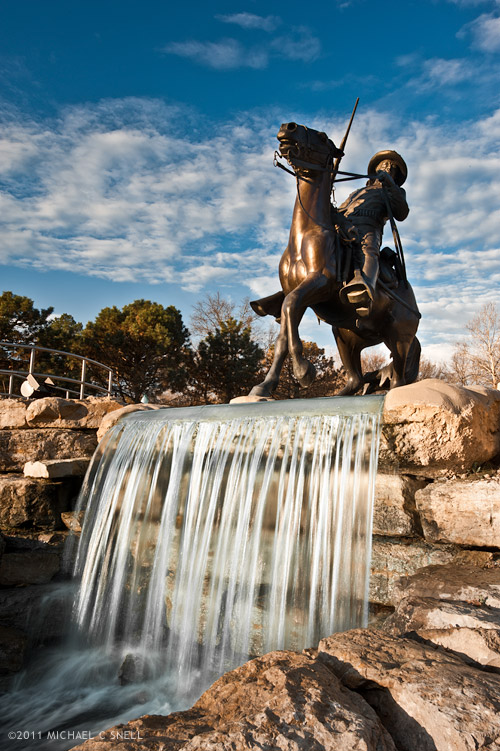
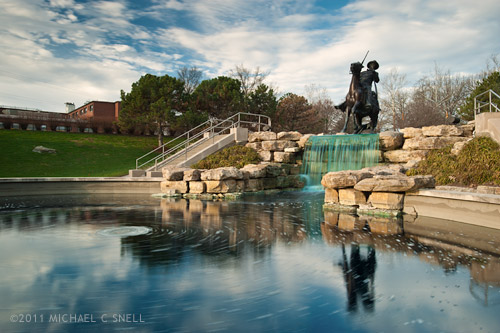
Adjusting this photo from Saturday’s NE Kansas excursion was a little more work than it needed to be. This is the Buffalo Soldier Memorial at Fort Leavenworth and apparently someone thinks the water looks better dyed an unnatural blue/green color. That, or it’s been this way since St. Patty’s day. Maybe there is some other perfectly reasonable explanation for the water’s color, but it looked really, really strange in the falls below the sculpture. You can see for yourself in the un-fixed horizontal version below:

Note to all fountain owners — green water doesn’t look better! In Lightroom, I had to go through a whole process of selectively desaturating the aqua range of the color spectrum and painting in with the adjustment brush a combination of increased contrast and desaturation until things were looking somewhat natural again. Whew.

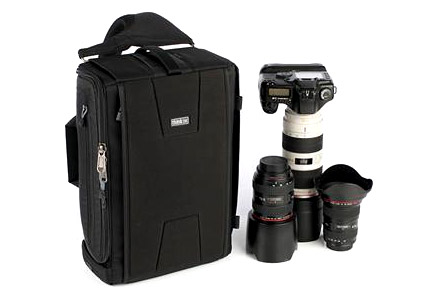
By the way, I was also putting a new camera bag through its paces on Saturday. For my upcoming Fiji trip in just a few days, I picked up a new Think Tank Sling-O-Matic. Here’s a photo of it from their site:

I had originally planned on getting the smaller Sling-O-Matic 10 but it wasn’t in stock locally and upon seeing the size of the 20, thought it might better fit my gear. This bag is slightly smaller than my Think Tank Airport Ultralight and is a sling-bag instead of a full backpack. While I’ll miss the distribution of the weight across both shoulders, I welcome the ability to swing the bag around to access lenses without taking the bag off.

The bag worked great on Sunday and I look forward to seeing how it does on a longer trip. My Ultralight fit nearly every overhead compartment I encountered although it was a bit tight in some. This one should slide right in, but the laptop will have to be carried separately in its own sleeve. There is a side pocket that will take the laptop on the Sling, but an inch or so sticks out and I’d be a little nervous that it might work its way out while out of my view on my back (the way the pockets work is that they’re top-opening when you sling the bag ’round front, but are side-opening when worn on the back).

I’ll report back after the Sling has logged a few air miles.

Lightroom’s Solo Mode

One of my first impressions of Lightroom when I started working with it in version 1, was that I thought the interface was beautiful. I liked the darkness and how it could disappear into the background and let your photos take the spotlight. Sure, there’s always room for improvement, but it was a breath of fresh air from the expected, light grey, Adobe-style interfaces that came before and it was much, much more successful than the over-the-top experimental interfaces that have popped up from time to time (anyone remember Kai’s Photo Soap or Power Goo?).

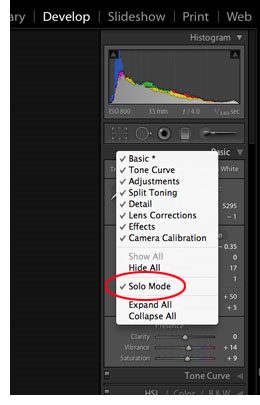
One thing bugged me, though. I didn’t like the way the panels would stack up when toggled open causing you to have to endlessly scroll up and down to get to the various functions. Then I found out about Solo Mode and it changed everything. With Solo Mode turned on, only one panel is open at a time. The previous panel collapses when you open a new one. A small thing, but it was probably one of the more significant factors in winning me over to the Lightroom workflow. Previously Bridges tabbed-panel system had been more comfortable for me. Clicking a tab moved it forward, hiding the previous panel behind. Bridge was in Solo Mode all along.

100730solomodeWhen I switched to my new Mac last month and installed Lightroom 3, I did a clean install and didn’t install over Lightroom 2. Therefore, my preferences weren’t picked up. No biggie, I wanted a clean start, but I couldn’t for the life of me find how to turn on Solo Mode again. After some googling, I found the answer. For some reason Solo Mode is not made obvious in any of the main, top menus — instead, you have to control-click (I assume right-click on a PC) on one of the panel headers to get the pop-up menu. There you can select which panels are visible, or — hallelujah — turn on Solo Mode. Someone correct me if I’m wrong, but I think this is the only way to get to this feature.
Like I said, it’s a small thing but it makes all the difference for me in my workflow to only have the one panel open at a time. Sure, I have to click the header of the panel that I want to use next to open it, but for me it’s significantly quicker than scrolling through a bunch of open panels.

Note to Adobe: can’t you put Solo Mode under the Windows > Screen Mode menu? That would make sense to me.

Aperture 2 released

Aperture 2

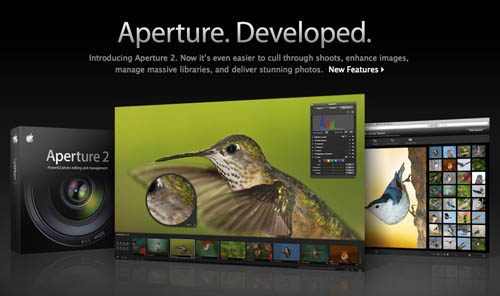
Apple has released a new version of Aperture. I’ve never tried Aperture myself. It looks interesting enough but my poor, aging G5 has never met the minimum requirements to run it. Now, however, it seems Apple has lowered the requirements to the point that I just sneak in. Or I’m reading something wrong. At any rate, I look forward to downloading the free trial and seeing what it can do but it will have to wait. Too much work right now with my trip to Banff just over a week away. Patience, patience…

Odds and ends…

It’s been a busy week with not much time for blogging but I thought I’d add a few links to things that I’ve seen in the last few days that are of interest to the frequent traveler…

United Airlines is starting a new policy of charging for a second checked bag.

• There was this news that the TSA was insisting that all electronic devices be removed from bags when going through security. Then this clarification on the TSA’s blog. Who knew the TSA had a blog?

• A possible answer to that portable computing device I’ve been wanting? (can you take a possum carcass as carry-on? Would that count as your one personal item?)

MacBook Air

MacBook Air

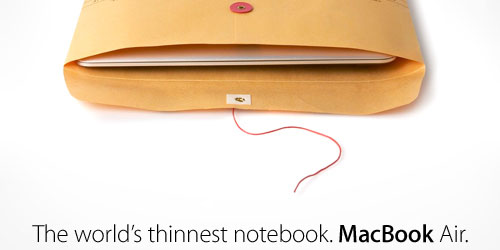
There you have it. The new MacBook Air from Apple — the world’s thinnest notebook computer. It’s an achievement for sure but I don’t think I need to place my order today. Thin is great — light is even better — but I’d really like small. I would like Apple to make something like Fujitsu’s Mini-Notebook with a CF card reader built right in. I don’t need a large screen but being able to do very minor Photoshop work and send emails is about it. Basically something that would allow me to get files to clients from the road in a pinch. And small and light would be key. And rugged wouldn’t hurt. I’m afraid I’d snap that MacBook Air in half in my backpack. Oh, well.

On the other hand, I did like seeing the addition of email to the iPod Touch. That and a portable storage device with a card reader and I’d have a lot of my needs taken care of. I’ll do some thinkin’ on that.

Anyway, the excitement is over now. I’ll have to switch over to DP Review’s PMA report to see what the camera manufacturers will bring us at the end of the month. There’s always somethin’…

Oh, and I promise to actually post a photo one of these days.