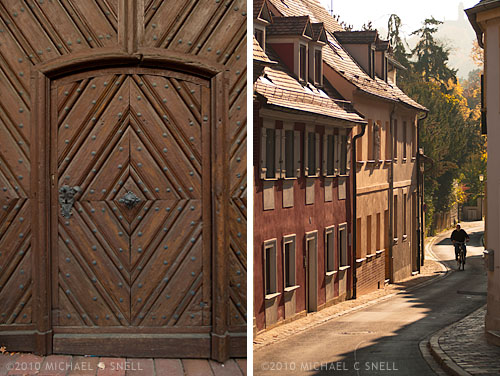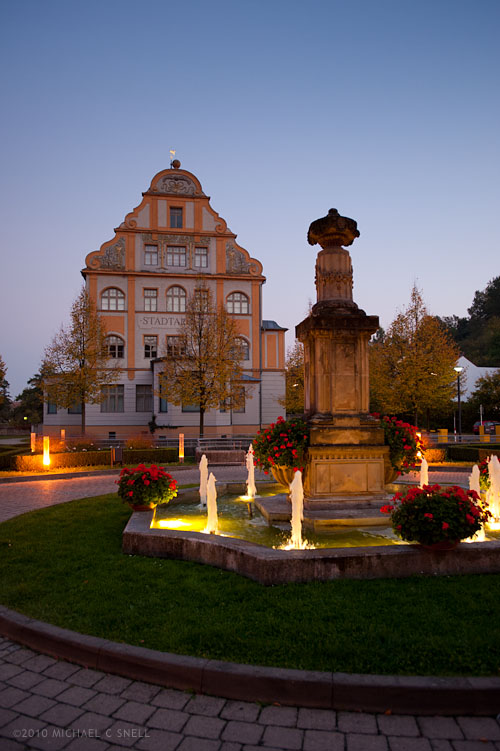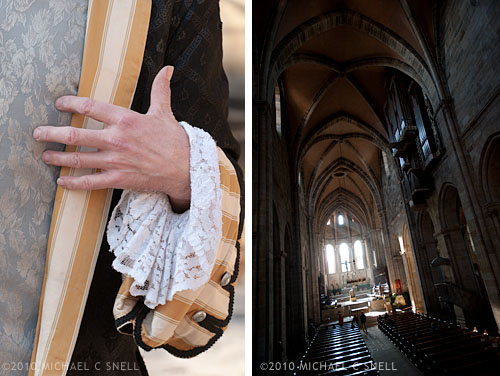
There are some towns where I immediately feel at home, even if I’ve never been there before. Bamberg, Germany, was one of those places. I spent a total of less than 24 hours there and could have easily spent months. It’s a great, walkable town with a huge variety of photographic subjects. This town is definitely going on my “must return to” list.
Category Archives: architecture
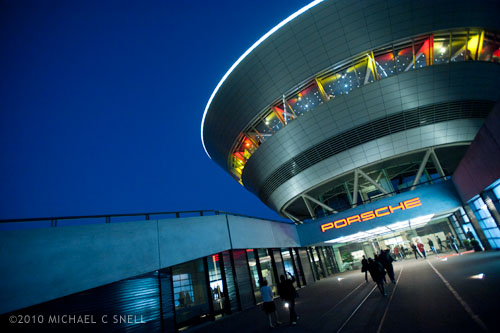
Porsche Leipzig
I’ve said it before — many others have said it — and I’ll say it again: always bring your camera.
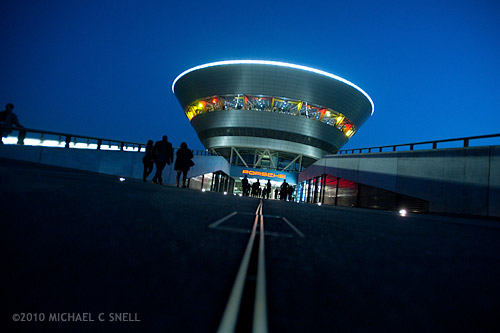
My main reason for being in Germany last month was to attend the Annual Convention of the Society of American Travel Writers. On the final night of the convention, there was a gala dinner at the Porsche customer center in Leipzig. You’ve probably been to these kinds of events. You put on a tie, there’s a little cocktail party first, then a long dinner with plenty of speeches. What’s to shoot, right? Well, you never know. Especially with this group. The setting for this dinner was spectacular and we arrived at Porsche just as the light was perfect — that time just after sunset when the sky goes cobalt blue. It was a perfect backdrop for the futuristic building.
It’s always a little inconvenient to have a big hunk of camera with you at a nice dinner but, in this case, I’m glad I did.
Frauenkirche in Dresden, Germany
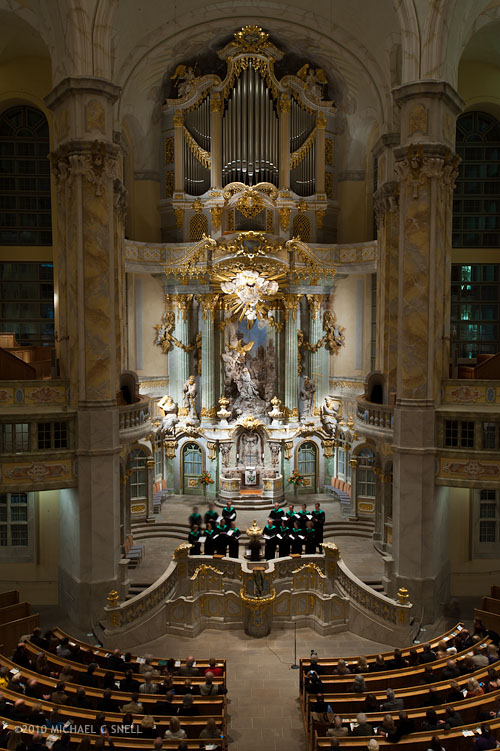
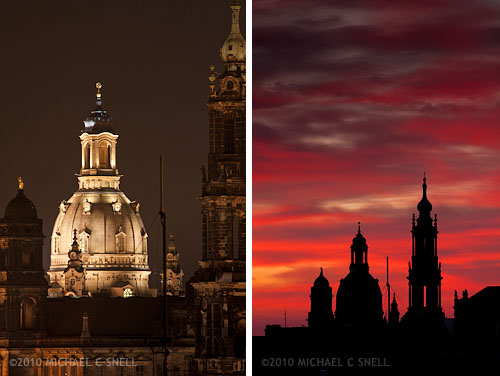
Here’s an interior of the Frauenkirche that I mentioned in my last post. It’s hard not to be impressed by the effort that went into the reconstruction of this building when you look at the condition it was in from 1945 through the early 1990s. Beautiful inside and out, its dome is once again a prominent element of the already stunning Dresden skyline. I was lucky enough to have a room that overlooked this skyline and made good use of it at sunrise and sunset to capture a range of light both artificial and natural. Much of the skyline is lit in the evenings but the Frauenkirche seems to be lit the longest. I would start shooting while all the lights were on and continue as they winked out one by one until just that dome was lit. In the mornings, the whole thing was dark and silhouetted by the sunrise. Here are just a couple of shots from my window at the Maritim — sunset and sunrise:
Dresden, a comeback story
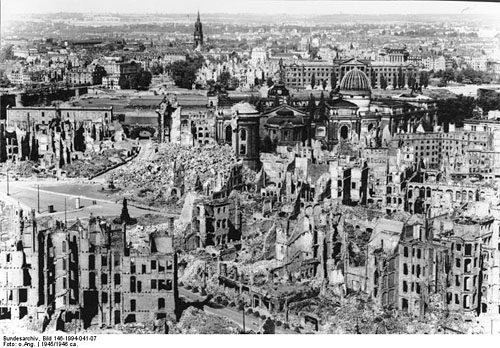
The fire bombing of Dresden in February of 1945 effectively destroyed the city center of what had been known as the Florence on the Elbe. Much of what I knew about Dresden before visiting came from reading Kurt Vonnegut’s Slaughterhouse-Five as a kid. Vonnegut had been a POW in Dresden during the raid, and drew heavily from that experience for the book. This is what Dresden looked like following the air strikes:
Image found on Wikipedia here. Bombing info can be found here.
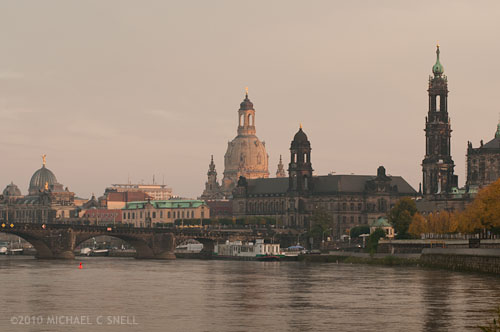
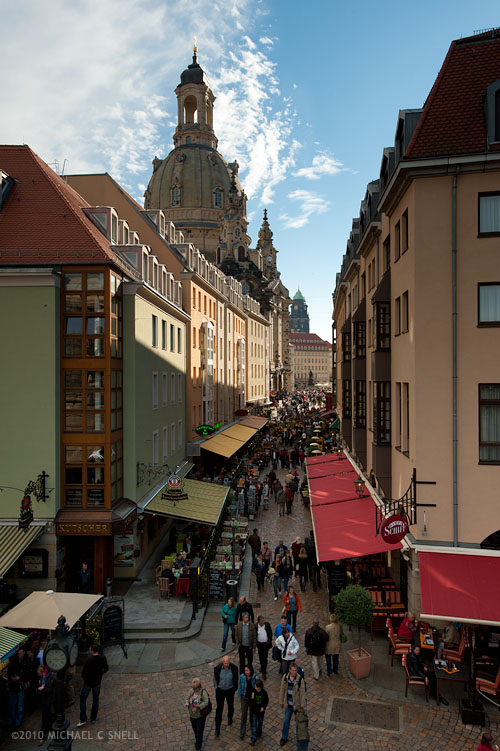
That’s nearly a reverse view of my shot that opened this post. The dome in the upper right of the historic photo is on the left in my photo. The bridge on the left of the historic photo is in the foreground of mine. The pile of rubble just left of center in the old photograph is the remains of the Frauenkirche, which you can see has been rebuilt in the recent photo — it’s the white dome at the center.
The reconstruction that has taken place in this city is unbelievable. Just when you think that the only things humans are capable of building anymore are Walmarts and Home Depots, you see something like this and realize that true craftsmanship and vision are not a thing of the past. I’m sure it would have been much easier for Dresden to have rebuilt in a modern style with reinforced concrete and steel towers but they didn’t. They respected their traditions and heritage and look at what they achieved.
Leipzig in blue
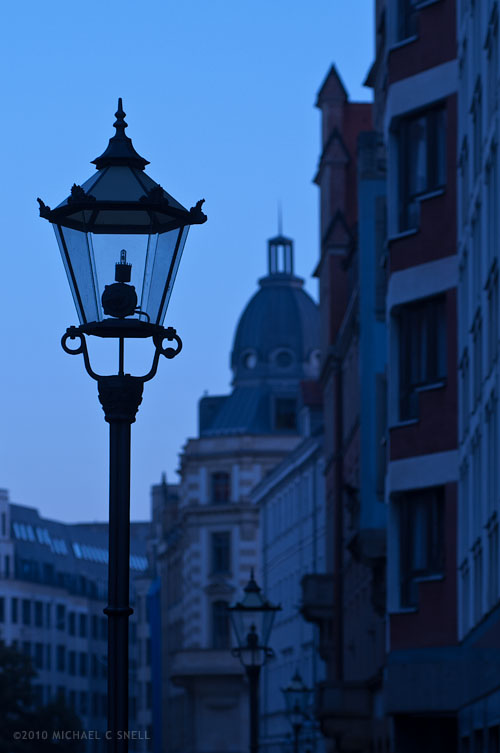
On an early morning walk through the old city of Leipzig, the light was a tad underwhelming. A little overcast and cool in color temperature, my inclination was to warm up the white balance of my Nikons to correct the color to a more pleasing tone. I almost always leave white balance set on cloudy for just this reason. I tend to like the warmer color cast for tourism shots. Back home and looking over the images on the computer screen, however, I found myself second-guessing that decision in this case. This photo didn’t respond very well to the warming and there were some distracting color combinations in the distant buildings that just didn’t come together. I decided to go against my natural tendencies and try a cooler color temperature to enhance the blueness that the scene had naturally and give more of the feeling of that early morning hour. I think it worked. The color pallet is more monochromatic and cohesive. The mood is stronger.
Digital provides so much flexibility in cases like this. I love having the ability to continue to experiment and play rather than having all my decisions set in stone once the initial film choice, exposure settings and filter selections are made on location. It’s a power that shouldn’t be abused, however. I don’t want to push things to a point that they no longer represent the actual scene — at least not for journalistic stock — but having the ability to tweak my on-site choices later, when I’m not pressured for time by changing light and other locational obstacles, is a great thing.
Do I wish that the street lamps had been on? Absolutely. But I stopped myself short of adding a lens flare in Photoshop. You have to draw the line somewhere.
Leaving room for type
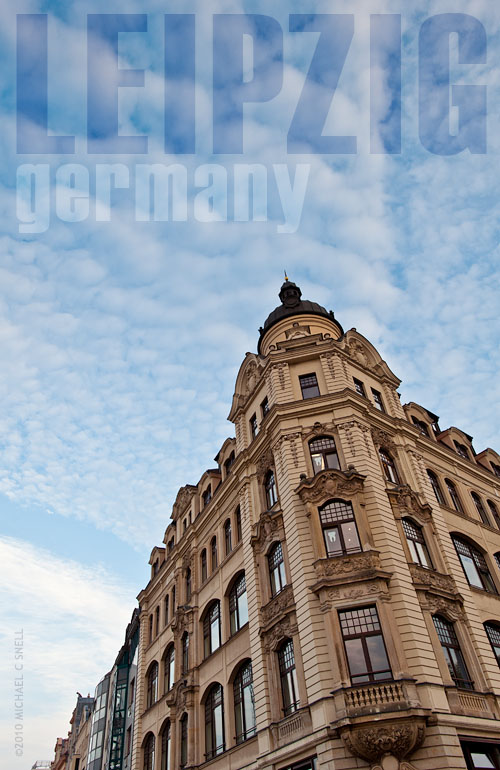
One side-effect of my background in graphic design is that I tend to compose images with an art director in mind. When I compose a shot, I’m often leaving room for typography. I suppose if you looked at my photos assuming that I were a fine art photographer, you might think that my compositions are sometimes strange — sometimes leaving large spaces empty — but that’s intentional. A vertical with some empty space at the top makes for a great magazine cover. The title needs to read clearly on the shelf and a busy background can create confusion. A horizontal shot with an open space to one side and an off-center subject can make a nice opening spread. The magazine’s gutter won’t cut directly through the subject and the open space can be used for a headline or the opening paragraphs of the story. Other shots fill the frame but may be graphically simple so that they will hold up at small sizes. Perfect for small “spot” uses to brighten copy-filled pages.
I’m not a fine art photographer. I do sell some prints, but I’m primarily composing with an editorial use in mind. Having been on the other side as an art director with travel and tourism clients, I think back to the images that I would have liked to find when it was me that was laying out that story, or me designing that cover. It’s always interesting to see how other art directors use my images as well. Sometimes I’m amazed that they saw a way of using one of my photos that I would never have thought of. Hopefully, I amaze them every now and then as well.
Arrival: Leipzig
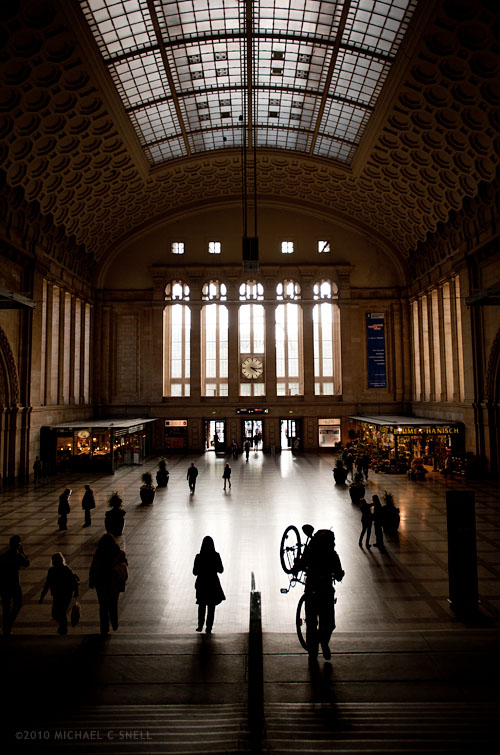
I didn’t arrive in Leipzig by train but the main station — or Hauptbahnhof — was just a few blocks from my hotel so it was one of my first stops. Built in 1915, this grand station was heavily bomb-damaged during WWII and was restored in the 1950s. In the years following the reunification of Germany, the building was modernized to include multiple levels of shopping and dining but the architectural grandeur remains. Even though this was not the portal through which I entered Leipzig, it seemed a fitting place to begin my exploration of this city and the federal state of Saxony. Often the first glimpse of a new place colors your impression of everything that follows. That’s what these train stations were all about. They were symbols of progress and status that left no doubt that you had arrived at a great destination.
Louisville, Kentucky

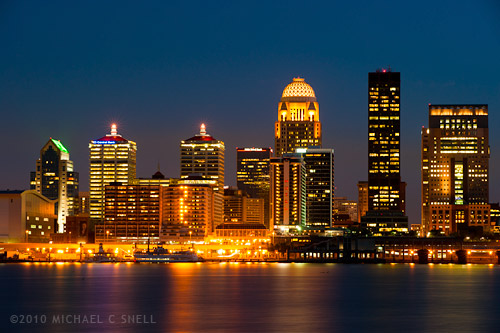
It’s been a while since I was on the road but I broke the dry spell with a quick trip to Kentucky over the past few days. A couple of assignments and a chance to do a little stock work took me to Louisville, Bardstown and Frankfort. The shot above was taken from a popular spot on the Indiana side of the Ohio River, looking back at the skyline of Louisville. Google maps and its satellite image feature was a great help in determining the best location. I added a 4-stop neutral density filter to cut down on the light and allow for a longer exposure (30 seconds) to get the river to turn silky. An aperture of f/11 gave me the star points on all the lights. They’re hard to see here but add a nice sparkle when you see the image full size.
I’m looking forward to a busy Fall. I believe it may be my favorite season although it always feels the shortest. When possible, I like to stretch it out by heading north for the early Fall color and then following it south. I’ll soon be starting this year’s season by heading to the North Shore of Lake Superior where the color is already beginning to peak (or so says the internet — what did we do without the web?). Hopefully I’ll catch it before it goes. Whether I’ll be able to get more Fall color is in question as other travels will take me elsewhere. Hopefully I’ll at least have a little time to enjoy the season at home. But, where ever I am, I’ll be looking for color.
Lightroom 3: perspective correction

The new lens correction tools in Lightroom 3 bring perspective correction to the RAW workflow. Previously, I’ve had to go into Photoshop to make these corrections, but now they can be done right inside of Lightroom, which saves a few steps. However, I still prefer the Photoshop controls over those in Lightroom. I’ll try and explain why…
The image at the top of this post is the image after correction in Lightroom. Here’s the original image:
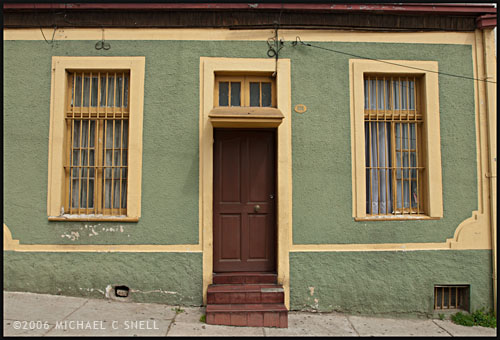
You’ll notice that the windows are tilting in toward the center of the frame — it’s perhaps most noticeable on the far right side where the edge of the building is leaning in as well. I take a lot of these kinds of shots and do my best in the field to keep everything straight in-camera, but sometimes you’re in a tight spot. Shooting wide and looking slightly up… you’ll get this kind of distracting distortion. A tilt-shift lens or a camera with bellows would take care of the problem, but you don’t always have that option available so it’s nice to be able to solve this issue via software.
In Lightroom, you have a pair of sliders for vertical and horizontal correction. Moving these sliders creates an effect similar to tilting a print in your hands side-to-side or up-and-down. If you ever controlled perspective shifts like this in the darkroom by tilting your easel, you’ll be familiar with the effect. It works reasonably well but it’s a little like a funhouse mirror and any large movements introduce some strange, new distortions. In the end, you have something that looks like this:
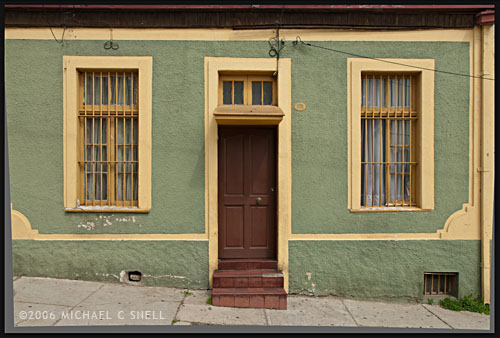
The vertical and horizontal lines are now straight (except for the sidewalk which, in the case, actually did run downhill like that) but you’ll notice that we now have grey “background” showing on the bottoms and sides of the images. Lightroom makes its perspective corrections inside the frame so you end up with an image that is smaller than the canvas size, to use Photoshop terms. You need to crop the image down to get rid of these grey wedges. Not difficult, but another step.
I’ll use this method a lot I’m sure. It’s really convenient to have this ability inside Lightroom. However, my preferred method of perspective correction is still part of Photoshop: the Distort control under Edit > Transform.
I turn on the grid in Photoshop first, to better see where things are skewed. Then, Select All and you’ll get corner handles on your image. It’s best to be zoomed out so that you can see some free space around the border of your image. By clicking and dragging these corner handles, you can stretch the image into alignment with the guides:
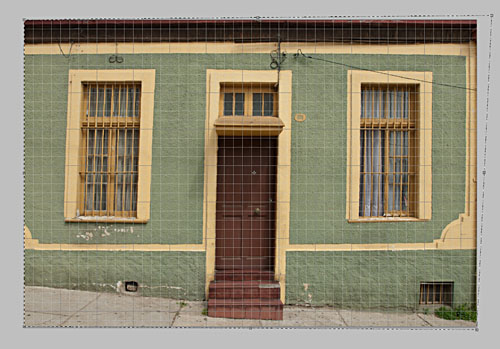
You can see the top-right handle has been pulled beyond the image frame here, eliminating the left-tilt of the right side of the building. The image will not show beyond the edge of the frame but the data is still there if you drag the corner point back. This gives you a live preview of what the final, cropped image will look like. Better yet, we’re making this correction to the outside of the frame so that there is no need to crop the image afterward. The perspective correction and crop are being handled simultaneously and there is no chance of an edge artifact getting left in your final file.
There is a Perspective control in the Transform group as well, but I generally prefer Distort. The reason is that Perspective tilts the image plane like Lightroom does — symmetrically. If I tug the right side out, the left side will move correspondingly. With Distort, each point moves individually — move the top right handle and only the top right corner distorts. I find this much more useful because the corrections I need to make are not always symmetrical.
Lightroom has a good set of correction tools — there are rotate and pincushion corrections there as well — but I’m glad to have the ability to go to Photoshop to fine tune images when needed. If I can do 90% of the image correction I need in Lightroom, I’m happy to jump over to Photoshop for the last 10%. No tool can do everything. When they try, they get incredibly bloated. Honestly, I kind of hope that Lightroom never adopts layers, etc. Keep it simple and I’ll go to Photoshop when necessary. The two programs work very well together.
Hotel shot, take two

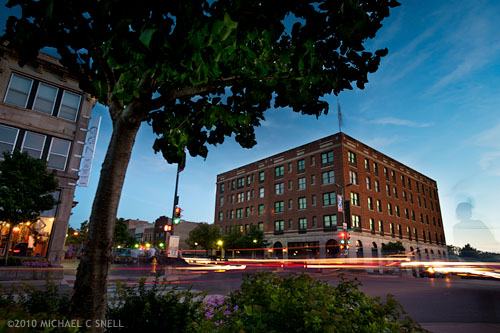
I returned to the Eldridge Hotel for another twilight shoot last night. You may remember a recent post where I shot it from a rooftop across this street. This time I went street-level and parked myself under a tree along the sidewalk catty-corner from the hotel. I was again going for a long exposure with some traffic streaking and a combination of the dying light in the sky and the warm street lights.
I’m discovering that this particular building is not lit very well, nor do there seem to be many lights on in the windows in the early evening. My solution has been to merge several shots together. The image above was a quick attempt this morning to see how it might look, but I’ll need to do a more involved layering later. While I was locked down on a tripod, I was also changing apertures. The differing depth of field between shots means that I need to mask out some areas to preserve the focus where I want it. Otherwise I end up with ghostly halos around the foreground elements.
The advantage I gain by using multiple shots is that I can use one as the base image — here I’ve chosen a later shot with a good sky — and then “paint in” elements from other shots. One example is using a shot taken earlier in the evening where the building itself had more light on it. While it’s nearly silhouetted in the base image, I put the earlier exposure on a layer above, added a black layer mask to hide it entirely, and painted the building back in using white as my foreground color. I could reduce the opacity of the upper layer to better blend it and achieve the level of light that I wanted on the building.
Another advantage was that I could get more traffic streaks than what actually appeared in any one photo. I picked dark shots from my bracketing that had good headlight and taillight streaks, stacked them on layers above the base image and set those layers to “lighten” in the layer mode menu. That made only the areas that were lighter than the base image visible — in this case, the light streaks.
Headlights from the street to my left would also occasionally throw some light into the leaves of the tree above me. I was also able to paint in some detail there using the same technique as I used on the light streaks.
The downside of this kind of shoot is that I’m tied to one position for about an hour. I usually move around and find different angles, trying to make the most of the light as it changes and fades. Here, I need to dedicate myself to one angle and stick with it in order to have all the layers I need for the final product. Last night the sky was surprisingly dramatic for a short period in the middle of this sequence an I regretted positioning that tree where it hid the sky but I was committed to stay put in order to keep all of the images registered. Since this is a local shot for me, it’s not such a bad thing. I’ll just keep going back and trying different things.