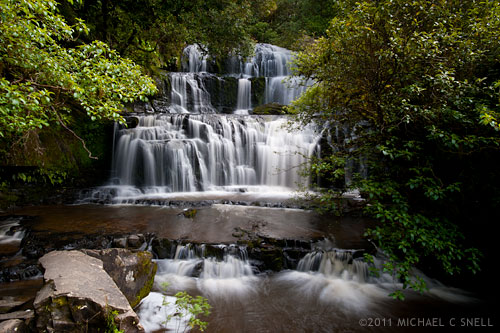
I spotted the potential problem when I was typing up my itinerary before even leaving for New Zealand. On the day that we would be driven down the coast from Dunedin to Invercargill, there would be a 10 minute stop to photograph Purakaunui Falls. That’s right — just 10 minutes.
I’ll take a moment here to explain my itinerary process. On a trip like this that incorporates a convention, board meetings, tours, etc., you are generally provided with a whole slew of itineraries. You get one for the board meeting, one for the convention, one for each specific selection you’ve made for activities during the convention, and on and on. The entire stack of itineraries — not to mention flight and ferry schedules — can end up nearly as thick as a phone book. The end result is a lot of weight and bulk to carry around and endless pages to thumb through whenever you’re trying to figure out what your next stop is. My solution is to take all of those itineraries before departure and to re-enter their core information into one, two-sided document that I can print a few copies of and stick them in coat pockets, camera bags, suitcases, etc. It’s my “at a glance” itinerary that gives me only the information that pertains to me and leaves out all of the schedules for things I’m not participating in. I also color-code items that need to stand out: meetings I’m running, professional development sessions I’m conducting, etc. These itineraries have become an essential part of my pre-trip planning, especially for trips like this where I’m not in control of my own schedule.
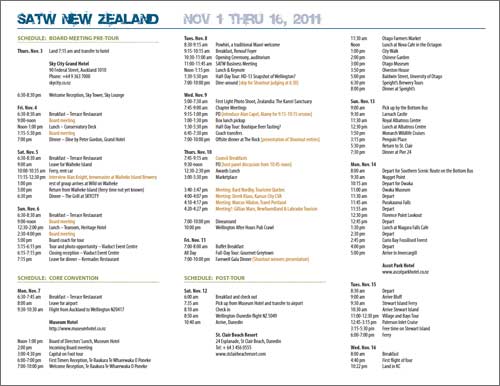
That’s a screenshot of one side of my “at a glance” itinerary for New Zealand. These things take a little time to assemble, but they are a huge help once on the ground.
A happy byproduct of this process is that I get to pre-visualize the entire trip as I put the schedule together. It’s an opportunity for things like this 10-minute waterfall stop to reveal themselves and allow me to think through how to make the most of the situation. I knew I was going to be mostly in cities and towns during my New Zealand trip so any opportunity to shoot a natural landscape was very important to me. A waterfall would make a nice addition to my overall coverage of this part of the South Island and I wanted to make the most of this stop — short as it might be.
I managed to get the front seat, next to the driver, the morning of the waterfall shoot. This can often take some elbowing on a press tour but, in this case, there was no front passenger door so you had to enter the van through the sliding side door and then scramble over the engine hump in order to access this particular seat. Not something most people found appealing, but worth it to me in order to be able to shoot through the windshield, be able to talk to the local driver, and have more room to have my tripod, etc. with me. I made a point of having the tripod easily available on this day — especially because of the waterfall stop.
Our driver was great and said that he’d made note of the 10-minute waterfall stop when he first saw the schedule as well. He knew the area and knew that that amount of time wouldn’t work at this particular location. He’d made some adjustments to the schedule in order to give us 30 minutes at the waterfall because he knew the hike to the falls would take a good 10 minutes itself. With his adjustment, we’d still have 10 minutes at the falls with an additional 20 minutes for the 10 minute walk down and the 10 minute walk back.
When the waterfall was to be the next stop, I made sure to prepare my gear. I set out my tripod and put the mount on my Nikon D700 — I was going to use it along with my Nikkor 17-35mm wide-angle zoom. I believe I also tossed a couple of longer primes in the pockets of my Scottevest, just in case the overlook to the falls was not as close as I anticipated it would be. I made sure to also pocket my ND and polarizing filters so that I could cut the light enough to get a long exposure that would let the falls get all misty and soft. The one thing I neglected to grab was my cable release. I got around this by shooting on timer, but I lost some precious seconds each time I had to wait for the timer to run out.
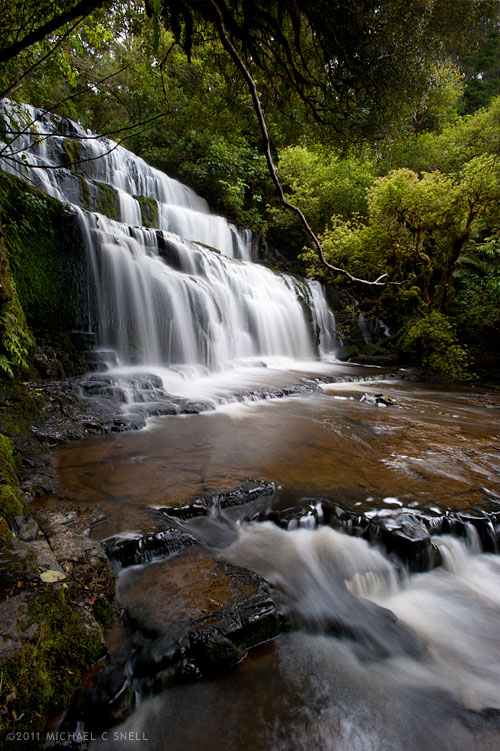
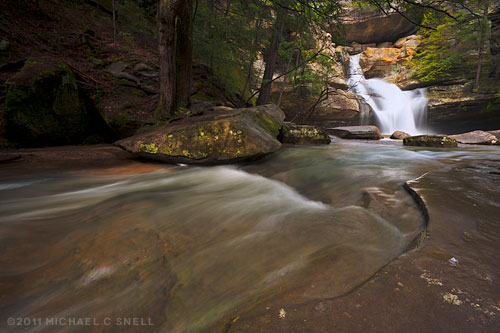
When the van stopped, I piled out as quickly as possible and headed down the trail at a fast walk — checking my watch so that I knew exactly when I’d have to start back. I never want to be the last one to return (that’s bad press trip karma) and I want even less to be left behind because I’m late. On the walk, I multi-task by extending my tripod legs and getting everything ready for the shoot. It takes almost 10 minutes exactly to get to the overlook and I take my “safe shot”, that’s at the top of this post, from that platform (By “safe shot” I mean that it’s a shot that ensures that I have something in the can, even if I don’t get anything else). I actually take a couple for safety and then start looking for more interesting angles. There’s a rocky area to the left that looks like it will afford a better angle and more interesting foreground potential so I start making my way around, over slippery rocks and logs. I stop every so often to take advantage of a new angle and fire off a couple more shots. Here is an animation made from two shots at one of these stops that gives a little sense of the motion of the water and the movement of the trees. Had more time been available, this would have been a nice spot to do some timelapse movies but — as it was — this would have to do:
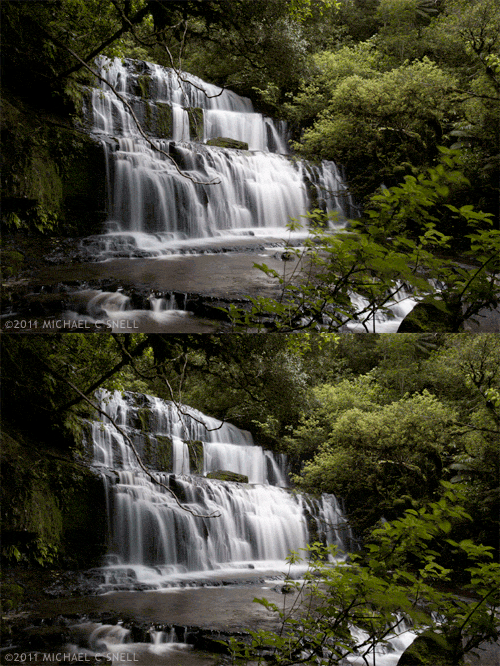
The following shot is the last one I managed to get before having to head back up the trail to catch the van. Looking at the metadata, the first shot was taken at 11 minutes and 50 seconds past the hour and the last — and 14th — shot was taken at 22 minute and 8 seconds past. My math comes up with that being 10 minutes and 18 seconds on location, and I think I managed to make those extra 18 seconds up on the hike back. At least I wasn’t the last to return to the van.