Category Archives: technique

Wind power

It seems like so much that I shoot lately can’t be posted to this blog right away because I need to wait until the images have appeared in the magazines that assigned me. I have lots of fun stuff to show — it will just have to wait. Some should be opening up soon, however, so hold tight.

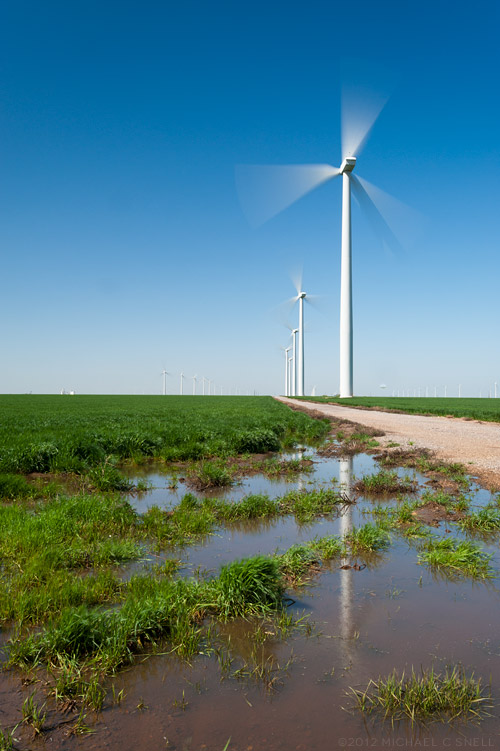
Last week was a fun assignment that wasn’t for a publication so I can talk a little about it. I spent three days shooting wind farms, turbine plants and holding yards for the Kansas Department of Commerce. These are the kinds of assignments that make me love my job. Being a photographer opens up worlds that you’d never know about otherwise. Seeing how these giant windmills are built, transported and erected was fascinating. The sheer size is hard to comprehend — even when seeing the finished turbine in a field. It’s when you walk around the various parts and components as they wait to be assembled that you realize just how massive they really are.

The shot above was taken at a new wind farm being built near Spearville, Kansas. The sky was deep enough blue that I thought I might be able to get a little blur on the blades by using my ND filter. At faster shutter speeds, the blades are crisp and you can’t tell whether they are turning or not. A little blur seemed important for showing the turbines in action and in speaking to the energy that they create. In the end, I stacked both my ND filter and my polarizer on my 17-35 in order to cut out enough light to lower the shutter speed down to 0.4 seconds. Just enough to do the trick.

I’ll have more from this shoot in the coming days.

Photoshop CS6 public beta

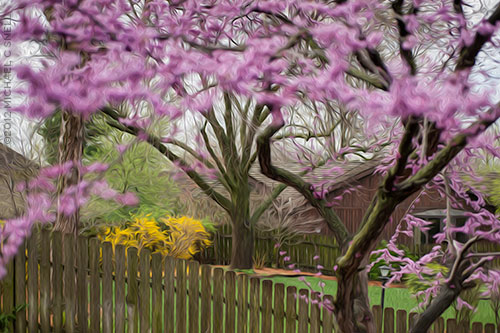
Just to further distract me (and yes, I’m sure that it is all about me), Adobe has released a public beta version of the new Photoshop CS6. How could I not download it and how could I not wasted endless hours checking it out? Happily I had some real work that I could use it for… which I did… and then I started playing around with the fun stuff. Lo and behold, who knew there was a new Oil Paint filter? I had to give that a go and the result is what you see above — a stylized and slightly Tim Burton-esque view of the redbud tree blooming in my backyard. It’s probably a little hard to make out all of the paint effects at this size but, trust me, there’s some cool stuff going on in there. This warrants further investigation.

So far I’m less impressed with the new Content-Aware Move Tool, but I also found an additional set of controls for it that may make me change my mind. Chalk today up to one, big productivity loss… I mean… professional development opportunity.

Lightroom 4 beta in the real world

I had an architectural interior shoot this week that provided me the perfect opportunity to put the Lightroom 4 beta through its paces in a real-world situation. Much as I would love to move my entire collection over to LR4 right now, it is still only in beta. The prudent thing is to wait until the official release and, in the meantime, just test some duplicated files that don’t risk anything if there is a problem. But this was an isolated shoot that I could easily break out of my catalog and wouldn’t cause any real harm — even if I ended up having to reprocess it entirely at some point down the road.

As I’ve mentioned before, there is some relearning to be done between LR3 and LR4. There were a few times that I found myself moving the black slider to the right, expecting my blacks to get darker and momentarily being surprised to see them get lighter. When I think about it rationally, though, it does make more sense having all the main develop sliders zeroed out at their centers so that they all react the same way when moved right or left. After an hour or so, it was all feeling very natural and I imagine I’ll be messing up in reverse when I go back to Lightroom 3 now.

A few things really stood out to me in this experiment. First, Lightroom 4 beta just seems to handle major adjustments much better than previous versions. I was able to pull highlights back much further than it seemed I could before, and the result looked more natural. The situation I was shooting in was extremely contrasty. It was a fairly dimly lit interior and outside there was a thin layer of clouds that gave the sky that intense white that is always difficult to hold. Because of this, I was shooting 3 to 5 images bracketed, thinking that I’d most likely have to use some HDR techniques to keep detail in both the sky and the darker areas of the interior. As it turned out, I was able to manipulate the middle image of the bracket alone — in every case — using only Lightroom’s exposure, highlights and shadows sliders. I never had to resort to using the under- and over-exposed versions to make an HDR image.

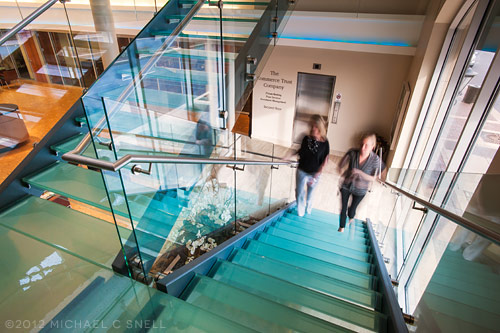
Another feature of the Lightroom 4 beta that I found extremely useful was the ability to adjust the white balance of graduated and spot adjustments. Take the photo above — the left side was a darkish, tungsten-lit interior that was very warm. The light coming in through the windows at the right was very cold due to the cloud cover. The result was an image that shifted drastically from warm tones on the left to much cooler tones on the right. By adding a graduated adjustment on the right that had a warmer white balance, I was easily able to even the scene out.

I’m already totally invested in this new version of Lightroom and am eagerly looking forward to its full release. The new processing engine alone is worth the cost of an upgrade to me and the new features will be a fantastic bonus.

Re-learning to ride a bike

Things generally slow down for me around the holidays and it takes a while for business to get back up to speed again afterwards. That pattern works well for me. I like to take that “quiet time” to re-focus on the coming year and to catch up on in-house activities like self promotion, learning new skills, etc. There’s more of that than usual going on this year, but one unexpected addition came along earlier this month when Adobe released a public beta of Lightroom 4.

There are plenty of Lightroom 4 reviews and introductory videos online already (like Julieanne Kost’s video overviews here) so I won’t go into detail at this point. I’ll do some deeper reporting once the final version comes out as some changes may still occur prior to that launch. For now, I’ll just mention some overall thoughts I’ve had as I have begun to explore the new interface.

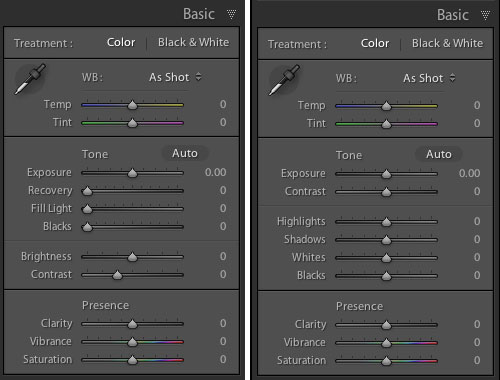
And there are some significant changes to the interface — especially to the Develop Module’s Basic panel:

That’s Lightroom 3’s panel on the left and beta 4 on the right. As you can see, the Recovery, Fill Light, Blacks and Brightness sliders have become Highlights, Shadows, Whites and Blacks. Everything has now been reconfigured to be zeroed out in the center of the slider now as well. My initial reaction to this was not very positive. I thought that this might have been yet another attempt by a software developer to make something “simpler” that actually removed some functionality. I’m not sure that’s the case here, though. Yes, things work differently, but I haven’t found anything missing. Nothing that I could do before but can’t do now. Some things, like adjusting the brightness of mid-range values, might just need a different approach now. In that instance, I find my self adjusting the Curve panel in place of using the old Brightness slider. Key here will be to remain flexible in your workflow and not to get hung up on the way you used to do things.

It’s early days and the whole point of these public beta releases are to generate user comments so that the final product can continue to be tweaked. With that in mind, I’m reserving some judgment at this point but I will mention anything interesting I stumble across as I continue to explore beta 4. I am very excited that Lightroom now handles video files and hope to work more with that in the near future. The Book Module also looks interesting, although I imagine I will continue to develop books in InDesign where there is more typographic control. I don’t need one program to do everything and would prefer that Lightroom stay focused on image processing and cataloging.

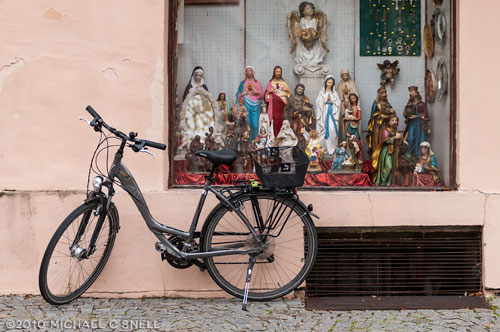
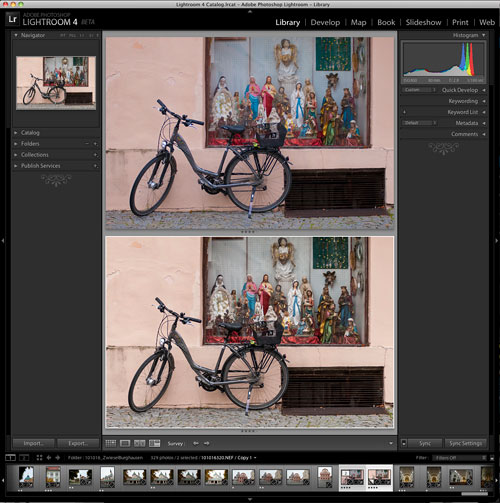
So far, my Lightroom 4 testing has amounted to importing a couple of duplicated folders from my Lightroom 3 catalog and playing with a few “trouble” images to see if 4 solves any shortcomings of 3. The bike shot at the top of this post is one that didn’t really have major problems, but I thought it might be worth exploring again. First I brought it into Lightroom 4, created a virtual copy (so that I could later compare it to the original 3-rendered version) and did the auto-conversion to the new 2012 process version. In this case, I found that 4 rendered the image a little flatter than 3 had. Next I zeroed everything out and started from scratch, processing the image more or less from top to bottom through the various Develop panels.

In the end, I felt like the 4 version had a little more snap. You can see the two in a comparison window in the screenshot above. Lightroom 3’s version is on top and beta 4 is on the bottom. Is the extra snap due to Lightroom 4? Maybe. But I also know that I can process the same image on two different days and get two different results. Every decision is subjective and there are few right and wrong answers when processing your images. I may have just been looking for a little more contrast today, whereas it was closer to the date of the shoot when I processed this image in Lightroom 3 and I might have been trying to more realistically portray the grey, rainy day as it was fresher in my mind at the time.

The real differences will come as I explore more images with huge contrast ranges or massive highlight issues. I think that’s where the new processing power of Lightroom 4 will really shine. I’ll be sure to share examples as I find them.

Ulva Island details, New Zealand

Happy New Year, everyone! I’m wrapping up my New Zealand posts with some details from the Ulva Island hike I wrote about in my last post. Some more New Zealand shots may appear later on, but I think I should shake things up for a little variety around here. I’ve been spending the holidays working on revamping my website and that has also had me exploring the archives, looking for photos to feature. I found some oldies but goodies that I plan on sharing during the next few months, since I don’t have much travel on the schedule for a while. Of course, I’ll also let you know when the new site launches. Stay tuned…

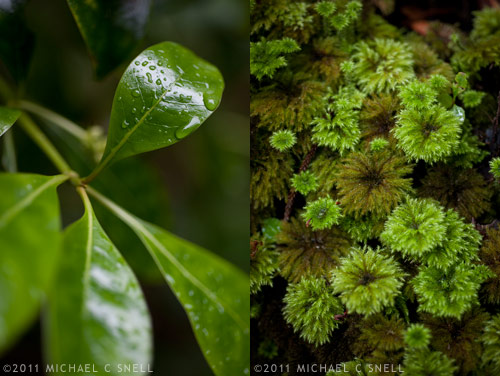
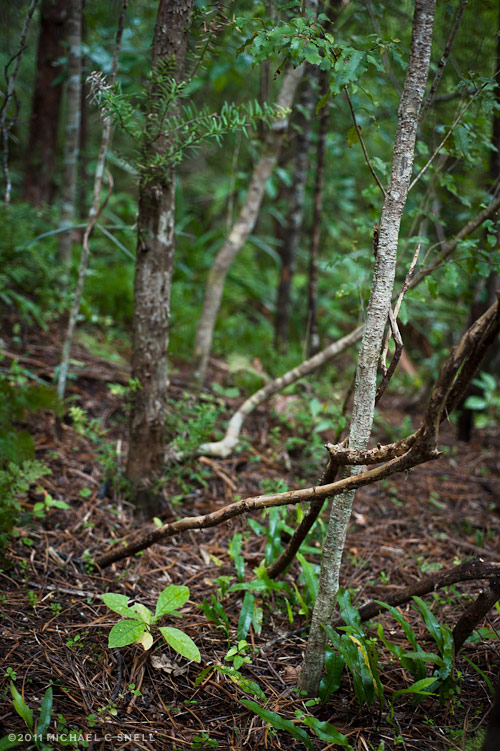
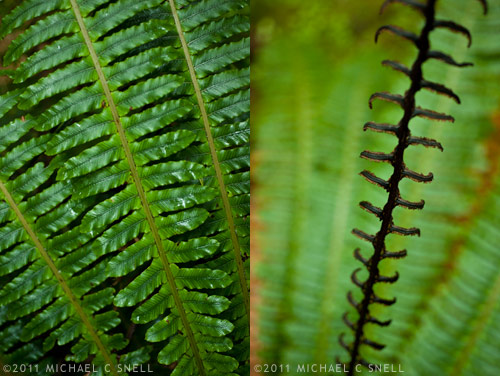
So, back to Ulva Island and the walk in the rain. The light was actually quite beautiful and the colors were lush. I decided to go macro for most of my shots that day to focus on details and textures and to take advantage of the water droplets and sheen caused by the misting rain. I also wanted to take advantage of the shallow depth of field provided by my 60mm f/2.8 to isolate individual plants and leaves from the distracting background branches, etc.


Sometimes I think that a series of tight little shots like this convey more about a place than one wide shot that tries to take it all in at once.

Rainy day strategies

[sponsored post]

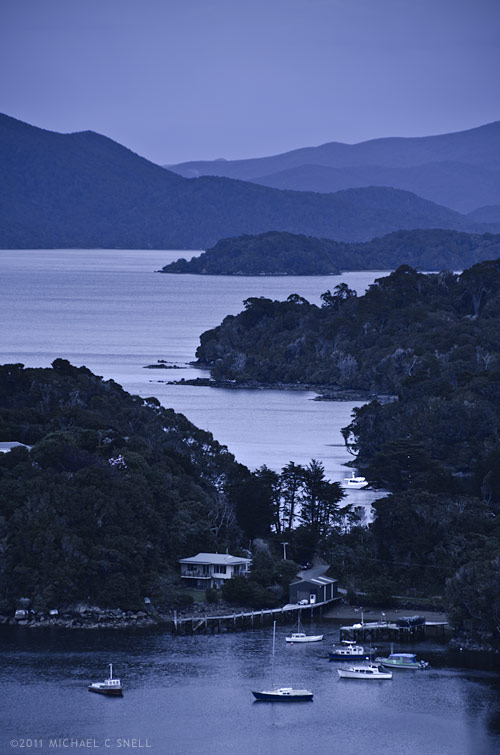
Stewart Island lies off the southern tip of New Zealand’s South Island. In this shot we’re just over the peninsula from the Island’s one town, Halfmoon Bay, and are overlooking Golden Bay, Thule Bay and the Paterson Inlet. Today’s destination is Ulva Island — a small, 670 acre island in Paterson Inlet that is being restored to its original predator-free ecosystem.

It’s also raining, which can make shooting photos during our walking tour challenging. I don’t have any waterproof housings but I do have a jacket and opt for a two body, two lens operation today. I’ll take the Nikon D700 with a 60mm macro lens and the D7000 with the Tamron 18-270. Here’s my thinking:

We’ll largely be in fairly dense rainforest where the reduced contrast of the overcast sky will actually help even out the light. I won’t want to include a lot of sky in any shots since it’s flat grey so I will instead focus on details — macro shots of the plants that we encounter on the walk. It will also allow me to shoot downward for the most part, eliminating the problem of rain getting on the front element of my lens. Neither camera-lens combination is large, so I can keep them both tucked into my partially zipped jacket and retrieve them only when needed. The second body with the 18-270 will be reserved primarily for those times when I encounter something that suddenly requires more than a prime 60. That might be a wide shot where the trail opens out onto a beach, or a telephoto shot of a bird. Birds are a large part of the visitor experience to Ulva Island so I hope to get something along those lines. By taking the 18-270 and a macro, I figure I’m set for nearly anything and I won’t have to deal with changing lenses in the rain.

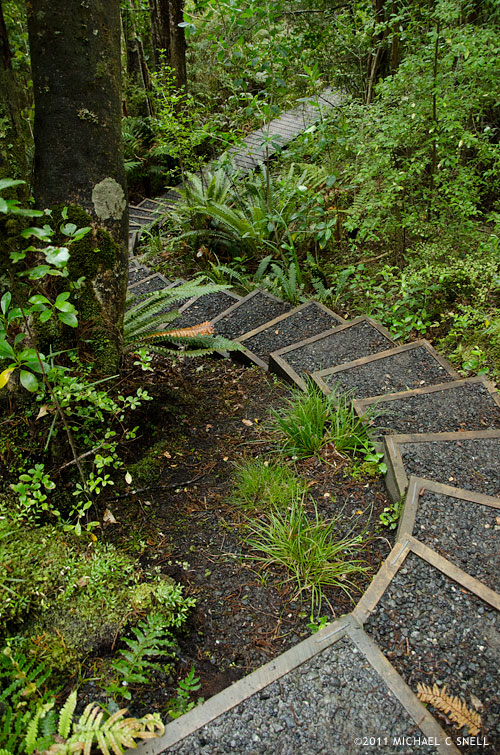
Overall, this plan worked well. Once we made our way off of the beach and into the understory, the rain effect was lessened by the trees overhead, although the occasional drop that would land now was a much larger drop from a leaf than the small, misty raindrops on the beach. The trails wound through ferns and forgotten-looking plants that gave a real sense of what New Zealand must have once been like, before the main islands were largely cleared of trees for cultivation. I’ll show some of the macro shots in the next post but first I’ll show a couple of shots that made me thankful to have had the 270 end of the Tamron 18-270 zoom.

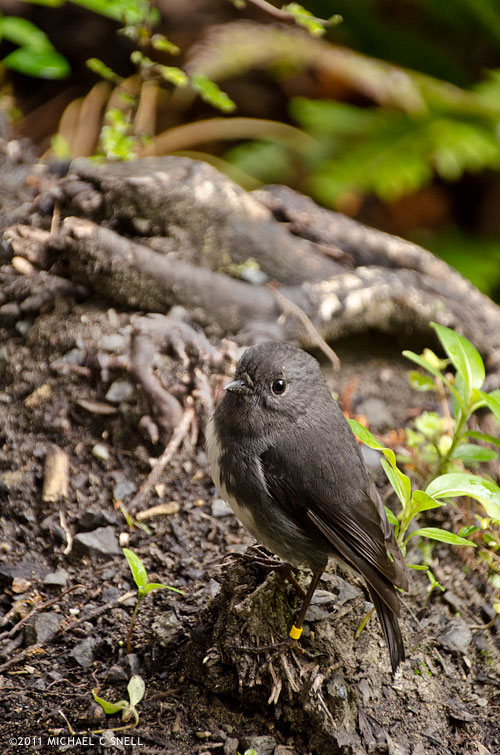
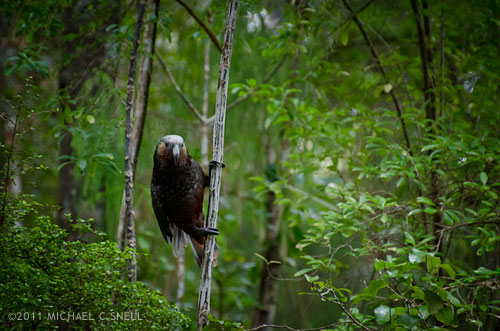
This tiny bird is a Toutouwai, or Stewart Island Robin. On the much larger end of the scale is this South Island KaKa:

A member of the parrot family, Kakas are about 18″ long and weigh a pound on average. That’s a pretty sizable bird. The Kaka didn’t come nearly as close as the Robin. There was another group a few yards ahead of us that he was curious about but the addition of our group coming up behind eventually proved too much and he took off. I was happy to get the images I did with the 18-270, but can only imagine the shots that a person could get with a little more time and patience on this island. For the most part, the birds are not that suspicious of people and will come fairly near. The haven’t really learned fear.

In the next post, I’ll share a few of the detail shots I took on this hike with the macro. Given the weather and limited time, I think the two lenses really allowed me to cover a lot of ground photographically speaking.

I should also mention one other foul-weather tip — the landscape at the top of this post (also shot with the Tamron 18-270) was fairly grey and colorless due to the overcast skies and impending rain. Once I brought it into Lightroom, I opted to alter the white balance to give the scene a cooler, blue cast. The result resembles the light you might get just before dawn or after sunset, even though it was shot near mid-day. Filters can also be used on-camera for this effect but, anymore, I prefer to leave my options open for playing with different color temperatures at the point of post-processing instead. By shooting in RAW, I have the ability to make several versions in different tones without any damage to the original image. One of the great benefits of today’s digital photography tools.

The 10 minute waterfall shoot

I spotted the potential problem when I was typing up my itinerary before even leaving for New Zealand. On the day that we would be driven down the coast from Dunedin to Invercargill, there would be a 10 minute stop to photograph Purakaunui Falls. That’s right — just 10 minutes.

I’ll take a moment here to explain my itinerary process. On a trip like this that incorporates a convention, board meetings, tours, etc., you are generally provided with a whole slew of itineraries. You get one for the board meeting, one for the convention, one for each specific selection you’ve made for activities during the convention, and on and on. The entire stack of itineraries — not to mention flight and ferry schedules — can end up nearly as thick as a phone book. The end result is a lot of weight and bulk to carry around and endless pages to thumb through whenever you’re trying to figure out what your next stop is. My solution is to take all of those itineraries before departure and to re-enter their core information into one, two-sided document that I can print a few copies of and stick them in coat pockets, camera bags, suitcases, etc. It’s my “at a glance” itinerary that gives me only the information that pertains to me and leaves out all of the schedules for things I’m not participating in. I also color-code items that need to stand out: meetings I’m running, professional development sessions I’m conducting, etc. These itineraries have become an essential part of my pre-trip planning, especially for trips like this where I’m not in control of my own schedule.
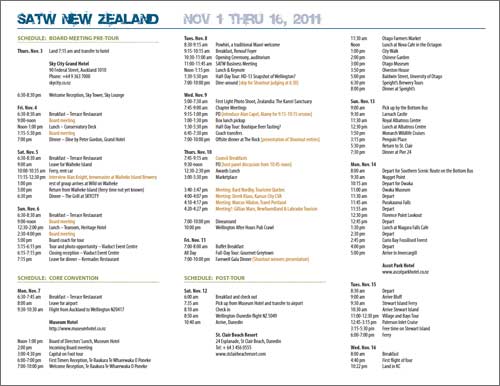
That’s a screenshot of one side of my “at a glance” itinerary for New Zealand. These things take a little time to assemble, but they are a huge help once on the ground.

A happy byproduct of this process is that I get to pre-visualize the entire trip as I put the schedule together. It’s an opportunity for things like this 10-minute waterfall stop to reveal themselves and allow me to think through how to make the most of the situation. I knew I was going to be mostly in cities and towns during my New Zealand trip so any opportunity to shoot a natural landscape was very important to me. A waterfall would make a nice addition to my overall coverage of this part of the South Island and I wanted to make the most of this stop — short as it might be.

I managed to get the front seat, next to the driver, the morning of the waterfall shoot. This can often take some elbowing on a press tour but, in this case, there was no front passenger door so you had to enter the van through the sliding side door and then scramble over the engine hump in order to access this particular seat. Not something most people found appealing, but worth it to me in order to be able to shoot through the windshield, be able to talk to the local driver, and have more room to have my tripod, etc. with me. I made a point of having the tripod easily available on this day — especially because of the waterfall stop.

Our driver was great and said that he’d made note of the 10-minute waterfall stop when he first saw the schedule as well. He knew the area and knew that that amount of time wouldn’t work at this particular location. He’d made some adjustments to the schedule in order to give us 30 minutes at the waterfall because he knew the hike to the falls would take a good 10 minutes itself. With his adjustment, we’d still have 10 minutes at the falls with an additional 20 minutes for the 10 minute walk down and the 10 minute walk back.

When the waterfall was to be the next stop, I made sure to prepare my gear. I set out my tripod and put the mount on my Nikon D700 — I was going to use it along with my Nikkor 17-35mm wide-angle zoom. I believe I also tossed a couple of longer primes in the pockets of my Scottevest, just in case the overlook to the falls was not as close as I anticipated it would be. I made sure to also pocket my ND and polarizing filters so that I could cut the light enough to get a long exposure that would let the falls get all misty and soft. The one thing I neglected to grab was my cable release. I got around this by shooting on timer, but I lost some precious seconds each time I had to wait for the timer to run out.

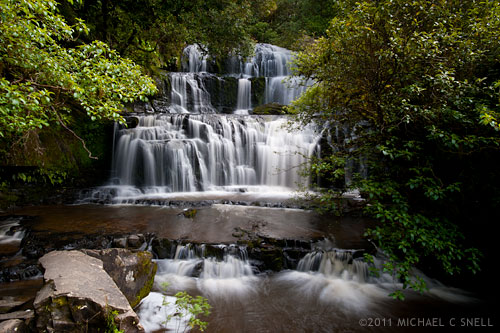
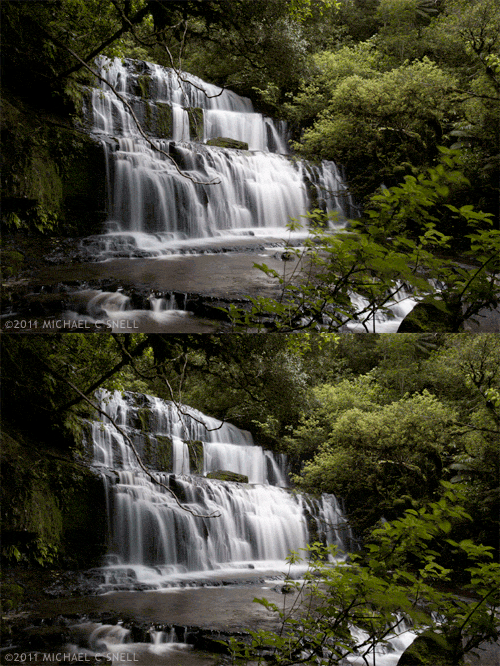
When the van stopped, I piled out as quickly as possible and headed down the trail at a fast walk — checking my watch so that I knew exactly when I’d have to start back. I never want to be the last one to return (that’s bad press trip karma) and I want even less to be left behind because I’m late. On the walk, I multi-task by extending my tripod legs and getting everything ready for the shoot. It takes almost 10 minutes exactly to get to the overlook and I take my “safe shot”, that’s at the top of this post, from that platform (By “safe shot” I mean that it’s a shot that ensures that I have something in the can, even if I don’t get anything else). I actually take a couple for safety and then start looking for more interesting angles. There’s a rocky area to the left that looks like it will afford a better angle and more interesting foreground potential so I start making my way around, over slippery rocks and logs. I stop every so often to take advantage of a new angle and fire off a couple more shots. Here is an animation made from two shots at one of these stops that gives a little sense of the motion of the water and the movement of the trees. Had more time been available, this would have been a nice spot to do some timelapse movies but — as it was — this would have to do:
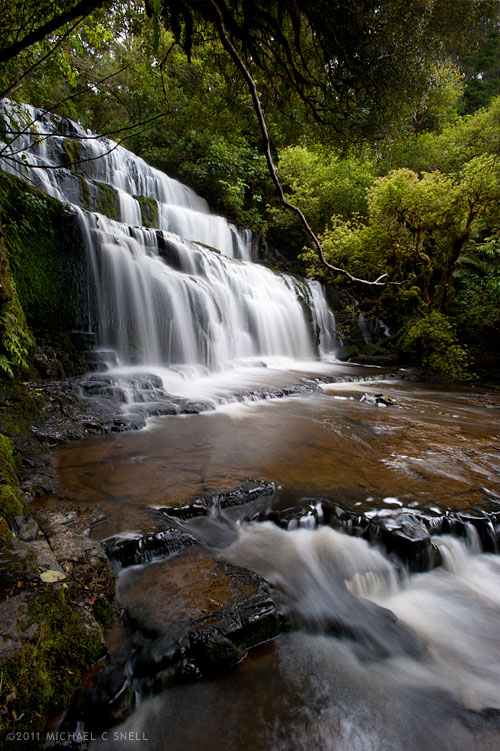
The following shot is the last one I managed to get before having to head back up the trail to catch the van. Looking at the metadata, the first shot was taken at 11 minutes and 50 seconds past the hour and the last — and 14th — shot was taken at 22 minute and 8 seconds past. My math comes up with that being 10 minutes and 18 seconds on location, and I think I managed to make those extra 18 seconds up on the hike back. At least I wasn’t the last to return to the van.
Shooting details with the Tamron 18-270

[sponsored post]

I’ve neglected to mention that all of the photos from my last three blog posts — Glimpses of Auckland, Auckland Graffiti and Back from New Zealand — were taken with my new Tamron 18-270mm lens. As I had suspected, the wide range of focal lengths offered by that one small lens made it the perfect companion on those quick walks that I would take in the morning before breakfast or between sessions of my SATW Board meeting. I also took it to meals just in case something particularly photogenic was served, like these oysters on Waiheke Island:

When I travel for reasons other than purely photography, it’s always a trade off of when to take the gear and when to just focus on the meeting or whatever else might be the actual purpose of the trip. The thing is — you never know when an opening ceremony at a convention might include dancers in traditional dress or be held at a venue that has an amazing view of sunset over the bay. It’s not always practical to take a backpack full of gear and keep it shoved under the table while having dinner at a nice restaurant. For a while I made do with a pocket point-and-shoot for times like this but I was never entirely satisfied with my results. For this trip, I went with the Nikon D7000 and the Tamron 18-270mm lens. I even had video capabilities when needed.

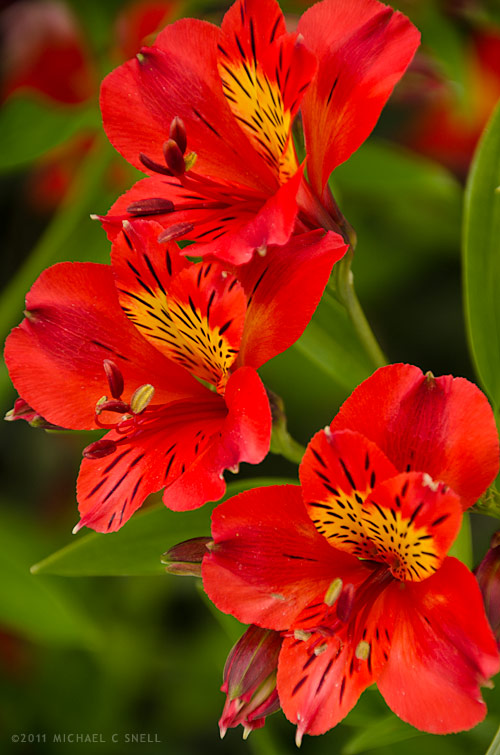
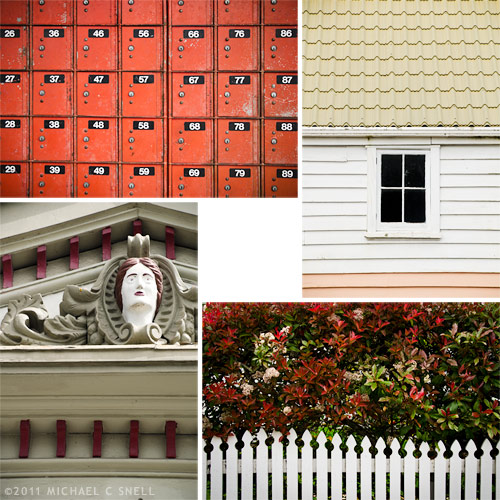
The flowers at the top of this post and the detail shots below came from a couple of hours that I had to walk around the small village of Greytown, New Zealand. The weather was overcast and wide shots weren’t exactly tourism brochure worthy with those white skies, so I focused on details that kept the sky cropped out and took advantage of the nice, flat light. The Tamron came through for me again with its ability to focus close enough that there really wasn’t ever a shot I couldn’t get (I think Tamron specs out the minimum focus distance at just over 19 inches). The bokeh is nice as smooth as well.

Sure, there were other times on the trip when I had more time and freedom to photograph and I’d make use of nearly every lens and filter that I’d packed, but for those days that I had to tend to other business and still feel prepared for the occasional shot that presented itself, the D7000 and 18-270 combo never let me down.

Tamron 18-270mm lens

[sponsored post]

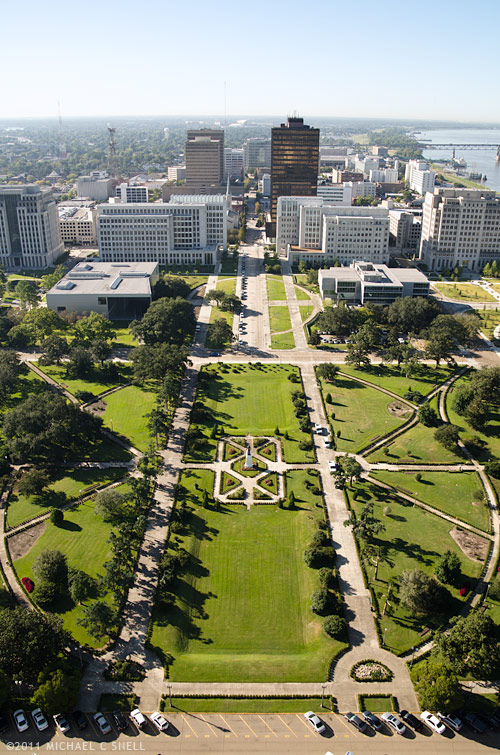
I recently had an opportunity to try out the Tamron 18-270mm zoom lens on a shoot in Louisiana (The full name of this lens is the Tamron 18-270mm f/3.5-6.3 Di II VC PZD). The shot above is of downtown Baton Rouge, taken from the 27th floor observation deck of the State Capitol Building. That’s the wide end of the lens — 18mm. Now check this out:

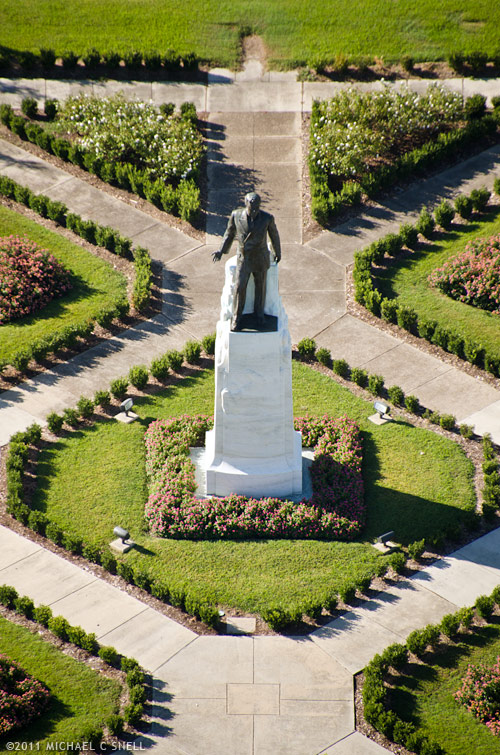
That’s the Huey Long statue on the Capitol grounds shot from the same spot with the lens zoomed all the way to 270mm. These were taken my Nikon D7000 so, given the cropped sensor, the zoom range would be the equivalent of 27mm to a little over 400mm on a full-frame DSLR (Tamron Di II lenses are not built for full-frame sensors, however. Their Di lenses are the full-frame models). That’s pretty significant coverage. And it’s small — less than a pound and it takes 62mm filters.

To a travel photographer, the idea of having one lens that does everything while being lightweight and compact… well… that’s pretty appealing. Of course, you can’t have it all. No one lens can do everything. But this one does a lot.

There are shooting situations that require that you “go light” and not take all your gear. An example might be a day out in a kayak. You don’t have space to take a lot with you and it might be inconvenient — if not dangerous — to try and change lenses while out on the water. That’s where I see a lens like this really shining. It would get you through almost any situation you might encounter from wide shots of your companion kayakers that show the surrounding scenery, to tight telephoto shots of wildlife that might appear with little warning.

To achieve a zoom range like this and to keep the lens light, you need to give up some speed and the Tamron 18-270 is an f/3.5-6.3. Almost everything I carry is f/2.8 or faster so this might seem slow — especially if you’re hand-holding it and shooting telephoto — but the 18-270 does have very capable stabilization and — let’s face it — with today’s DSLRs it’s no longer such a big deal to crank up the ISO a little.

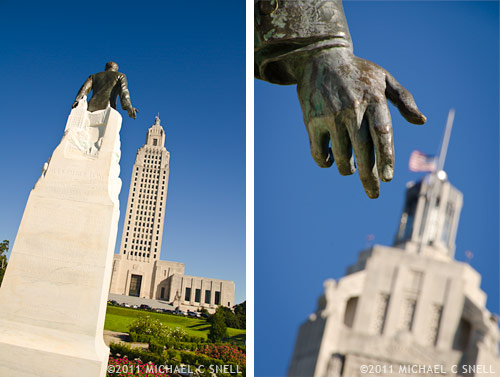
As another example of the Tamron’s range and the creative potential that it brings: here are two shots from the reverse view of those at the top of this post. These are taken from behind the Huey Long statue, looking back up at the Louisiana State Capitol Building (Long was instrumental in its construction, by the way, and was assassinated inside it). I took a few steps in between these two images but they are shot from more or less the same position. The shot on the left at 18mm (27mm equivalent) and the one on the right at 270mm (400+).

I shot a lot with this lens while on my Louisiana road trip and will share more images later. The Tamron 18-270 impressed me enough that it’s earned a place in my bag when I go to New Zealand next month. Then we’ll really see what she can do.

Chasm Falls, Colorado

Okay, this time my lack of posts is not (entirely) my fault. Last week was spent shooting in Colorado and on the first day of the trip my internet accounts were “compromised” (my hosting company’s term) and I lost all ability to send and receive emails or to log into any of my sites and blogs. Really convenient. At any rate — it’s fixed now and all is well.

The break from the heat was welcome. The day we left home, it hit 111 degrees. We, however, were quickly gaining altitude and getting out from under the “heat bubble” that’s been crippling the central US for the last month or more. It was cooler in Fort Collins and along the front range, but where we really felt the difference was in Rocky Mountain National Park. We drove the just-opened Fall River Road (it opened about a month late this year due to last year’s huge snowfalls and late melts) and back east on Trail Ridge Road — “the highest continuous motorway in the United States” according to the National Park site. At the highest point, the road reaches 12,183 feet and there was a definite chill in the air. I’m guessing mid-thirties with a blasting wind that had your fingers stinging about two minutes after leaving the comfort of the car.

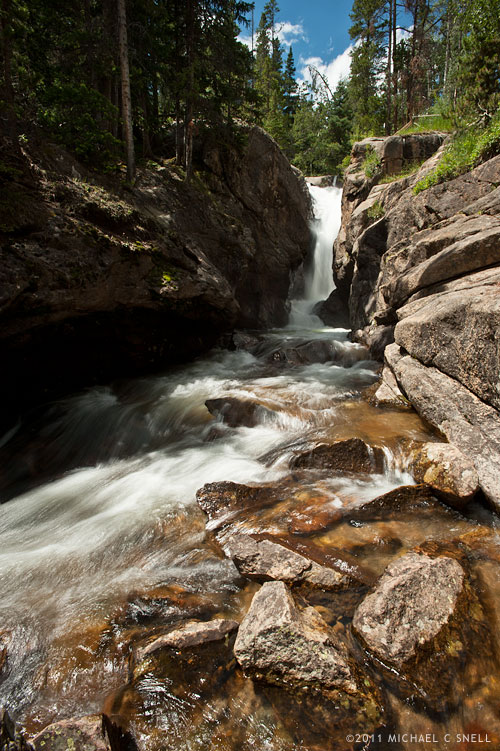
This shot was taken much lower just a few miles into the Fall River Road at Chasm Falls. It’s a short but steep little hike down to the falls from the road but worth it. Also worth it were the tripod and neutral density filter that I’d brought along. With the filter and an aperture of f/22, I was able to slow the shutter to 1/5 of a second — just enough to get some softness in the rushing water.